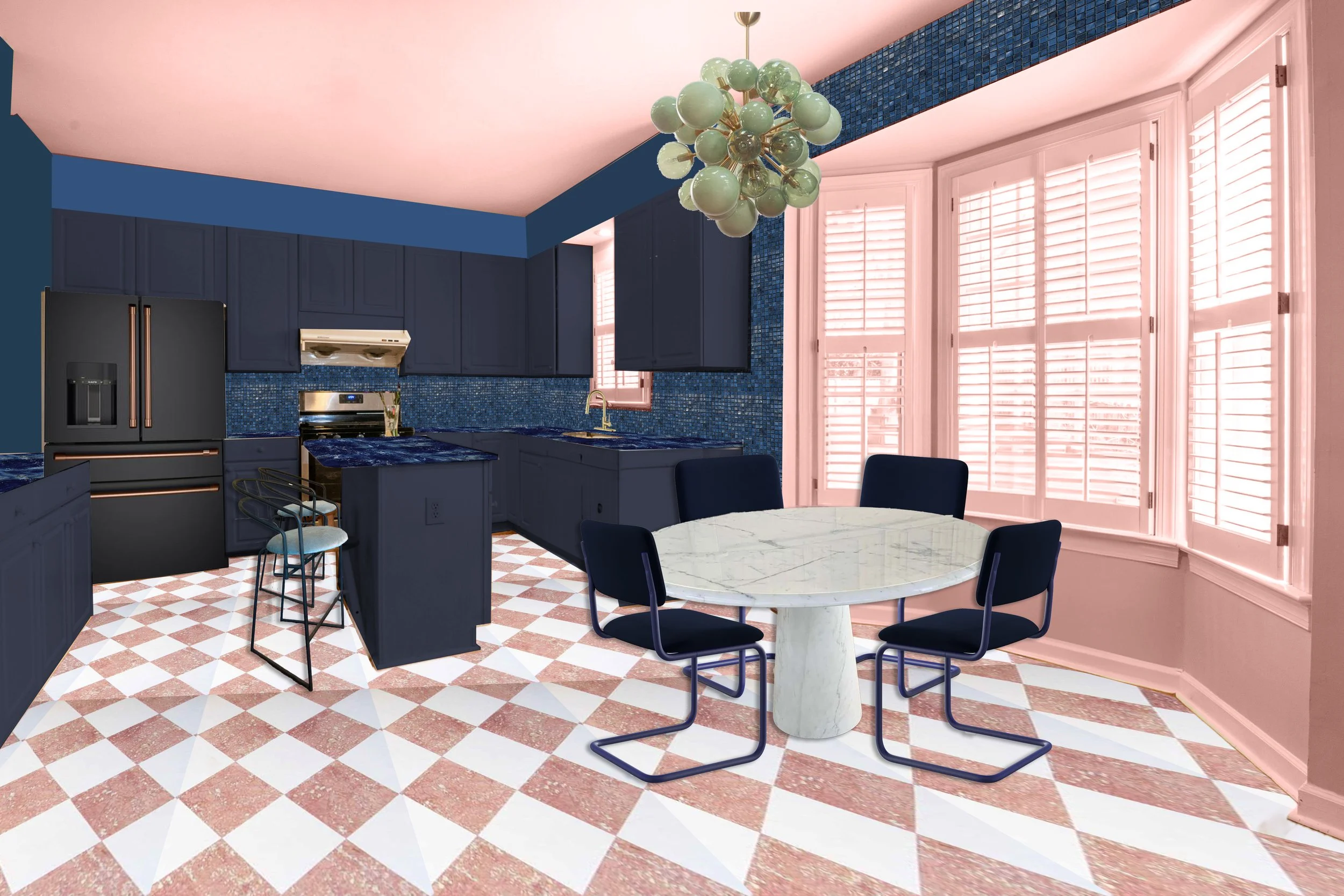
The Digital Room Makeover
Imagine being able to see your dream room before lifting a finger or spending a dime in renovations. Visualize and calibrate every detail, ensuring your design is flawless from the start, all using Adobe Photoshop.
This course is great for experienced home-improvement warriors, absolute beginners, do-it yourselfers, aspiring interior designers, and curious creatives of all levels. From a full renovation to planning out holiday decor, this course well help you have a clear picture of how all your ideas look together in one room.
-
Overview: What is Photoshop?
Getting started - Photoshop is your new tool box to create stunning images and help your visions materialize before your very eyes.
-
Lesson 1: Photography
Taking Pictures of Your Existing Space
-
Lesson 2: Selecting
Learn the different ways to choose the areas in your picture that you want to modify, one at a time.
-
Lesson 3: Layering
Organize elements to help you easily keep track and modify everything.
-
Lesson 4: Transforming
Some real witchery! The Transform tool makes quick work of complex shifts.
-
Lesson 5: Collaging
It’s ALIVE! Breath life into your vision.
-
Lesson 6: Sharing
Be prepared to impress everyone.
-
Thank you!
What’s Next?
What You'll Learn
Discover the power of tools used by top designers to bring their visions to life. Among them, Adobe Photoshop stands out as one of the most accessible and enjoyable. Join us, and master the art of room composition with ease and excitement!
Quick Photography Tips for the “Before” Photo
An Absolute Beginners Photoshop Overview
Meet Photoshop
Modify and change the color and size of different elements
The art of finding the right images to add to your room
How to bring everything together through different collaging styles
Practical Creativity

Amy Everard, Instructor
How to select and an element digitally
Using the layers menu to stay organized
How to create special effects through the layers menu
Learn Basic Tools
How to share your final vision with friends, family, contractors, and even clients
Spotlight Your Rendering